> For the complete documentation index, see [llms.txt](https://docs.txn.io/llms.txt). Markdown versions of documentation pages are available by appending `.md` to page URLs; this page is available as [Markdown](https://docs.txn.io/api-basics/webhooks.md).
# Webhooks
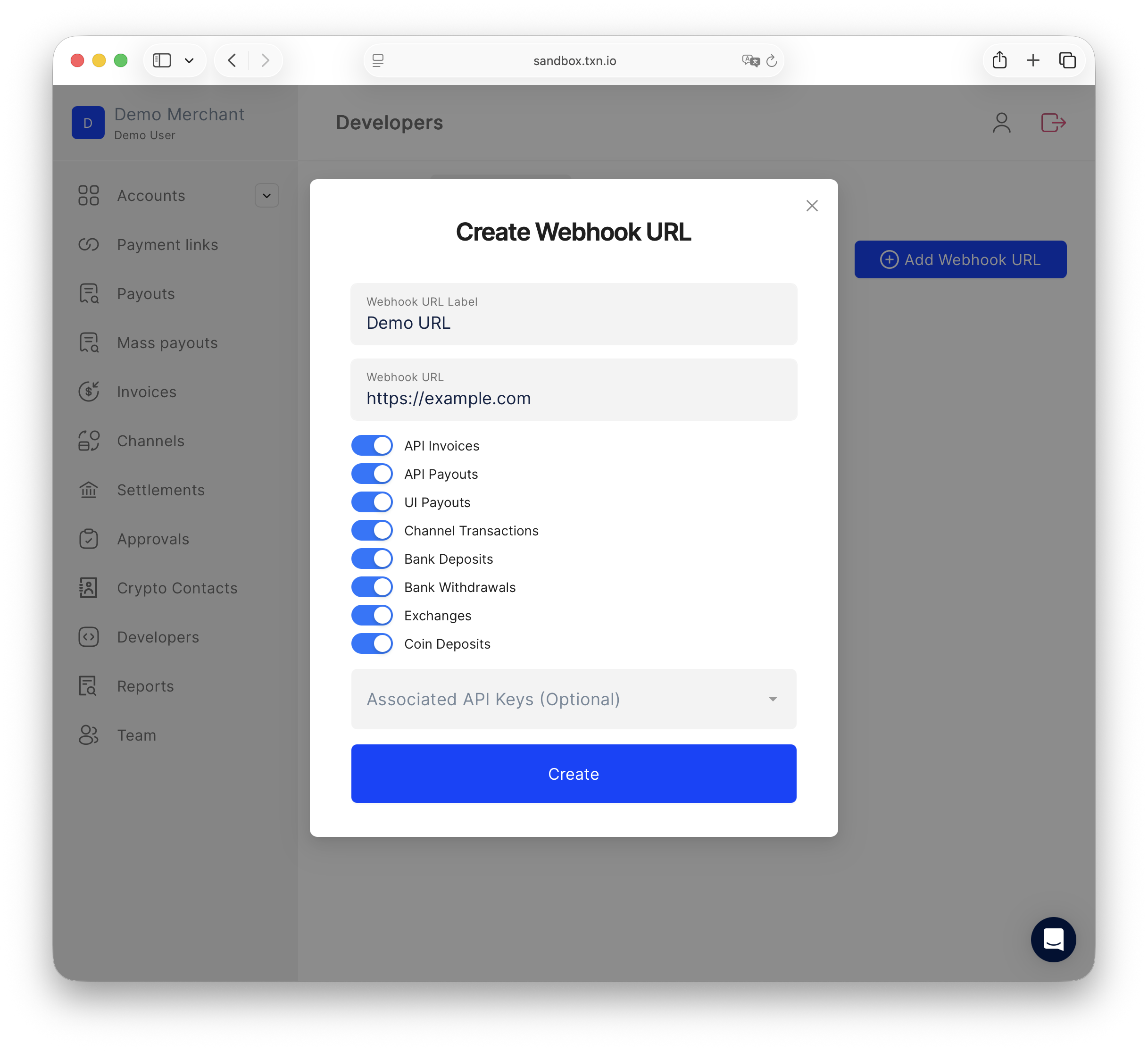
Txn supports webhooks for the following transaction types:
* [Invoice](/invoices/invoice-webhooks.md)
* [API Payout](/payouts/payout-webhooks.md)
* Manual Payout via UI
* [Channels](/channels/channel-webhooks.md)
* [Exchange](/exchange/exchange-webhooks.md)
* Direct crypto deposits received into your account
Webhooks are triggered each time the state of a transaction is updated.
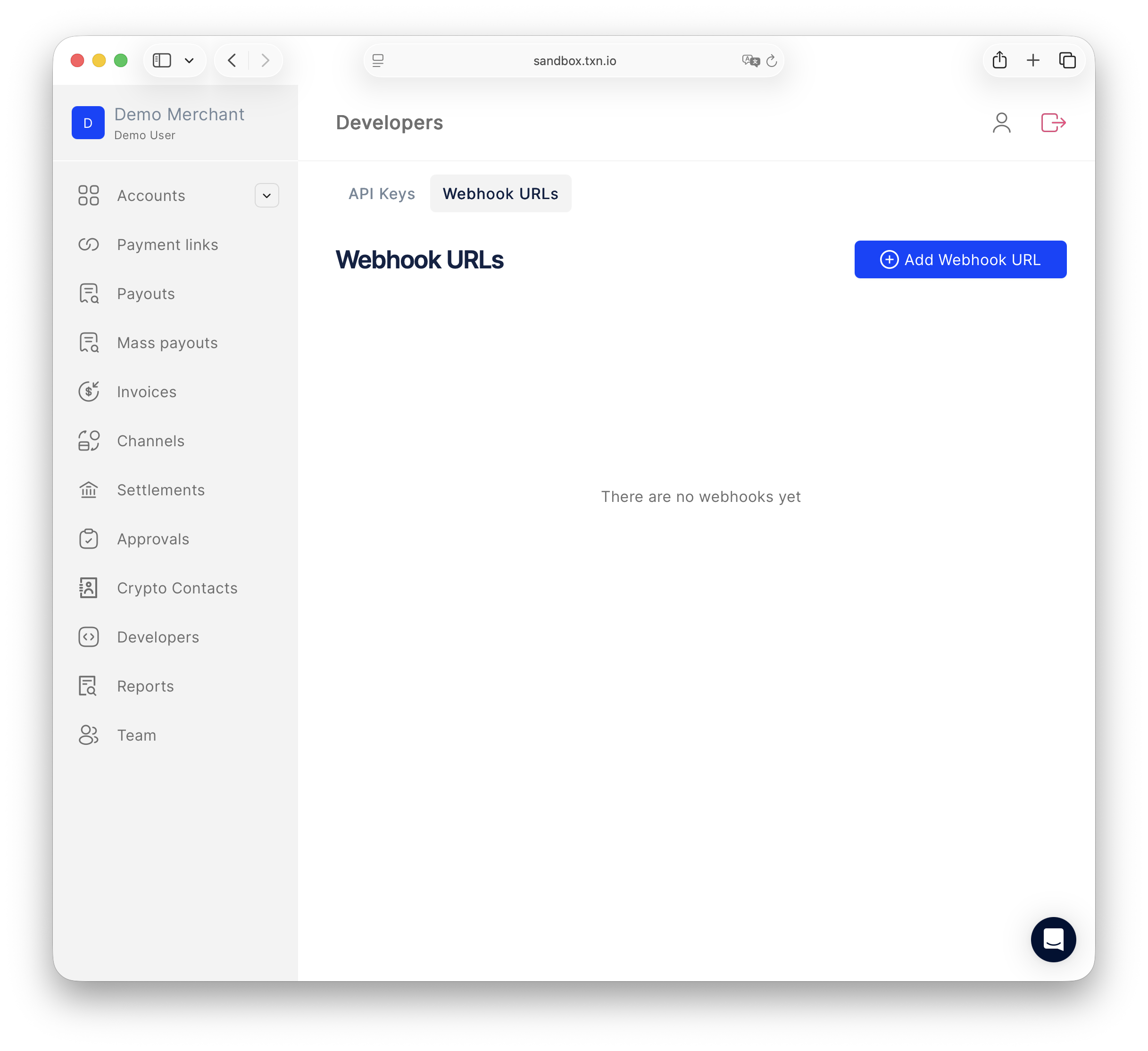
You can configure your webhook URLs on the **Developers → Webhook URLs** tab in your Txn account.
Developers → Webhook URLs
Enter a label, your endpoint URL, and choose which event types to subscribe to
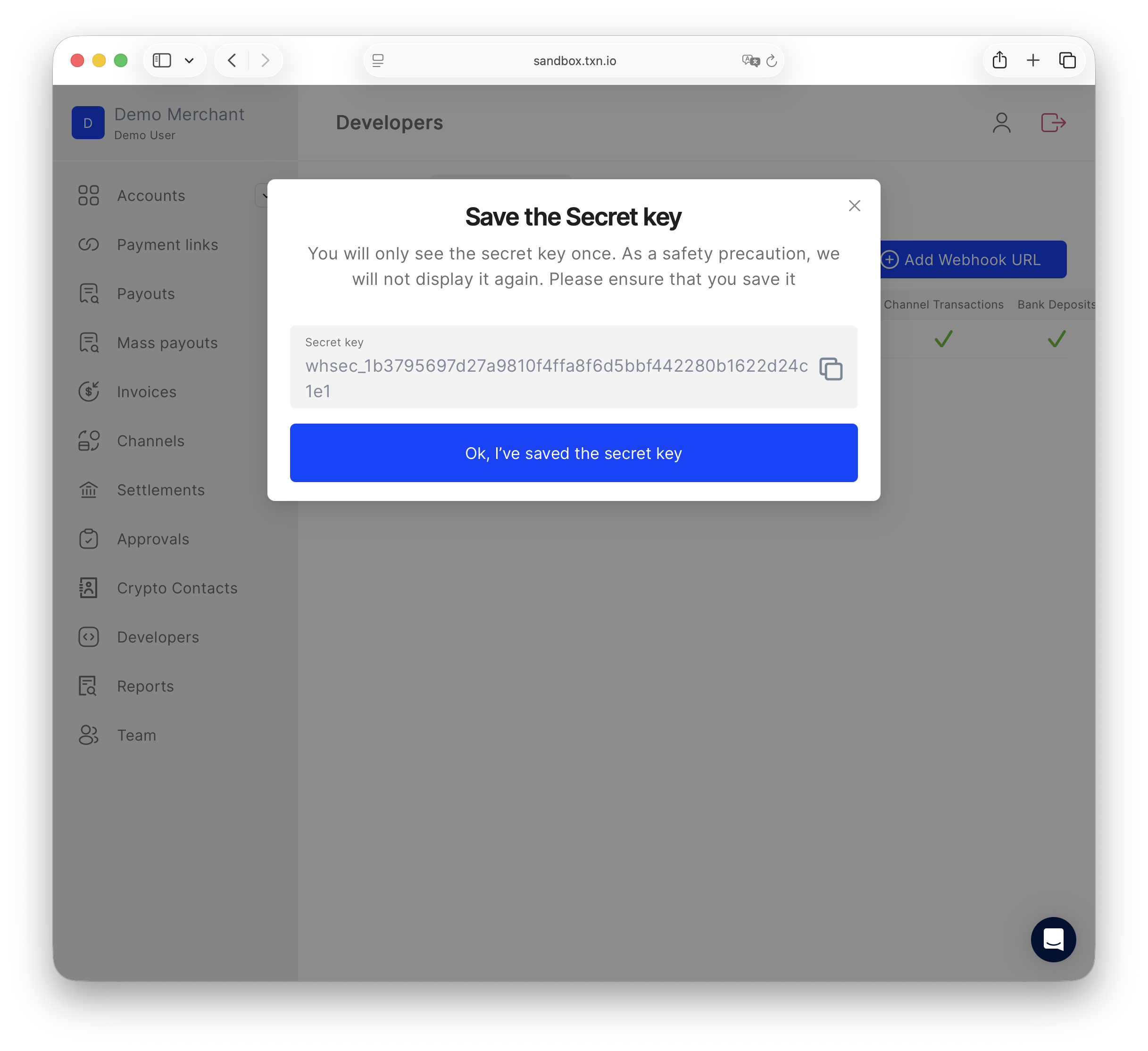
Copy and save the secret key — it is shown only once and is used to verify webhook signatures
## Associating API keys with webhook URLs
When creating or editing a webhook URL, you can associate one or more API keys with it. All transaction events for resources created by an associated key — invoices, payouts, channels, exchanges, and deposits — are routed to that endpoint.
This lets you route events from different parts of your integration to different endpoints. For example, you could direct invoice events to one service and payout events to another by using separate API keys, each associated with its own webhook URL.
{% hint style="danger" %}
**API key rotation breaks webhook routing for all resources created by the old key.**
Every resource — invoice, payout, channel, and so on — is permanently linked to the API key that created it. Webhook routing follows that link: if the creating key is associated with a webhook URL, events are sent there; if the key is deleted, events stop being sent anywhere.
**Example:** API key A is associated with webhook URL B. A channel is created using key A. Key A is later deleted and key D is created. Even though key D exists and may be associated with URL B, the channel was created by key A — so its events no longer route to URL B or anywhere else.
**When rotating API keys:**
1. Create the new API key first.
2. Associate the new key with the relevant webhook URLs **before** using it to create any resources.
3. Keep in mind that any resources already created by the old key will stop routing events as soon as the old key is deleted — there is no way to reassign them to a new key after the fact.
{% endhint %}
---
# Agent Instructions
This documentation is published with GitBook. GitBook is the documentation platform designed so that both humans and AI agents can read, navigate, and reason over technical content effectively. Learn more at gitbook.com.
## Querying This Documentation
If you need additional information that is not directly available in this page, you can query the documentation dynamically by asking a question.
Perform an HTTP GET request on the current page URL with the `ask` query parameter, and the optional `goal` query parameter:
```
GET https://docs.txn.io/api-basics/webhooks.md?ask=&goal=
```
`ask` is the immediate question: it should be specific, self-contained, and written in natural language.
`goal` is optional and describes the broader end goal you are ultimately trying to accomplish on behalf of the user. GitBook uses it to tailor the answer towards what is most useful for that goal.
The response will contain a direct answer to the question and relevant excerpts and sources from the documentation.
Use this mechanism when the answer is not explicitly present in the current page, you need clarification or additional context, or you want to retrieve related documentation sections.